
Leganto June 2025 Release Notes
July 2025 Sneak Preview
- Instructor can upload file to Syllabus Assistant for library to review
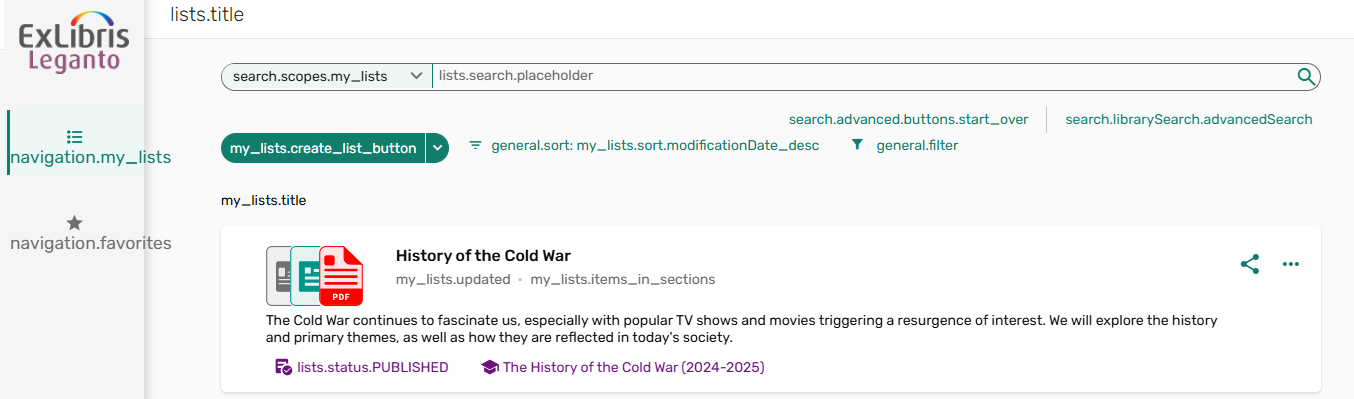
- Separate My Lists and All Lists search
Main Features
Display Related Items and Other Formats and Editions to Students
June 2025 Leganto  Idea ExchangeURM-228161 URM-155252
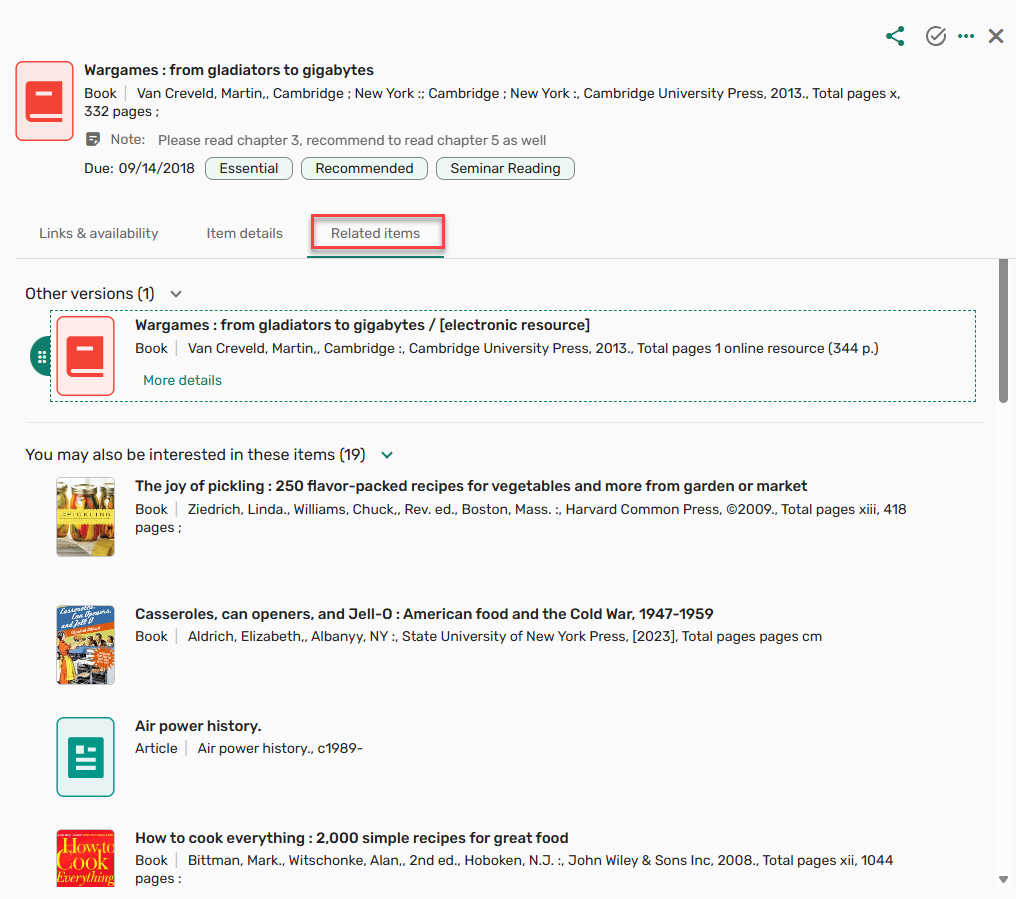
When configured, the Related Items tab and Other Formats and Editions are now available in Student view and on mobile view.
When the parameter related_items(Configuration > Leganto > Features > Leganto Features) is set to All(instructor and student) or student, related items, if any, (bX and/or shelf browsing) are viewable by students on the Related items tab, offering suggestions related to the item. The default setting for this parameter is instructor. If the parameter is blank, the tab is not displayed.
Additionally, when the parameter other_formats_and_editions(Configuration > Leganto > Features > Leganto Features) is enabled, and the item has other formats/editions, and the parameter related_items(Configuration > Leganto > Features > Leganto Features) is set to All(instructor and student) or student, the option to View editions/Other versions is available to students.
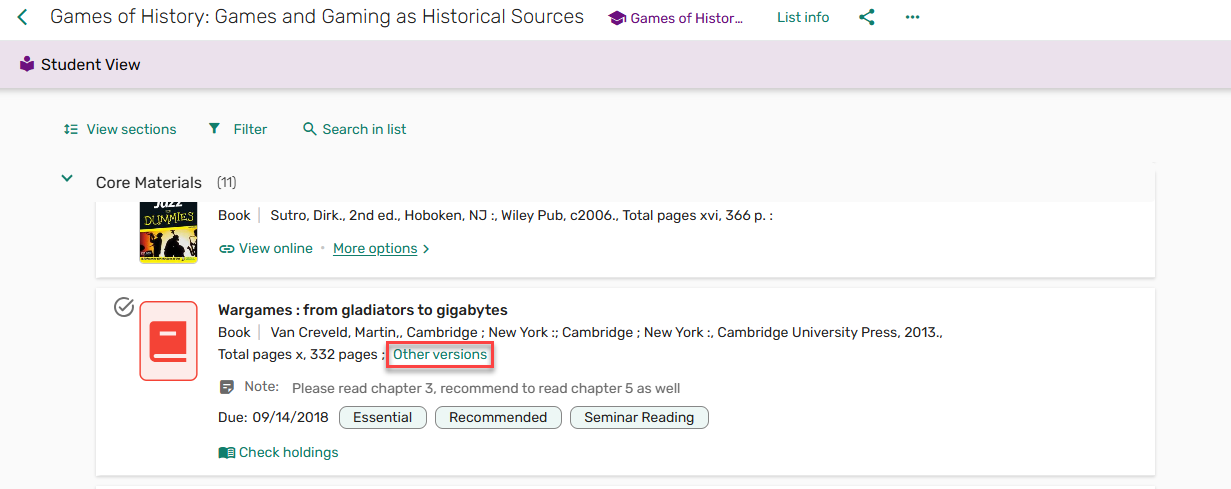
For more information, see Related Items - Students and Configuring Related Items.
Syllabus Assistant: Paste References in Existing List
June 2025 Leganto URM-242912 URM-242913
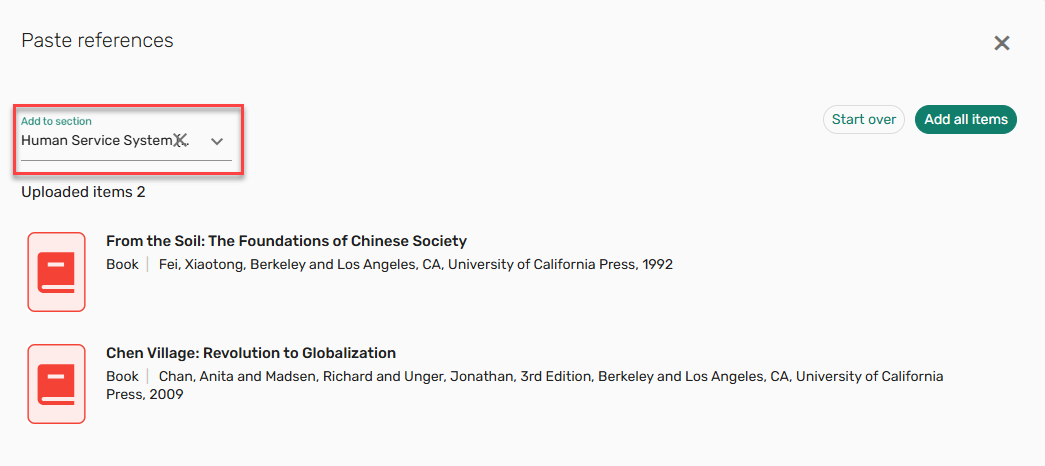
It is now possible to paste references in bulk to add them to a Leganto list. This feature is an extension of the AI Syllabus Assistant. When the parameter leganto_import_syllabus(Configuration > Leganto> Features > Leganto Features) is set to true(default false), library staff have the option to paste references into a list. From the Add > Import references > Paste references menu, paste references into the Paste references window and select Import. The reference(s) can be added to a specified section.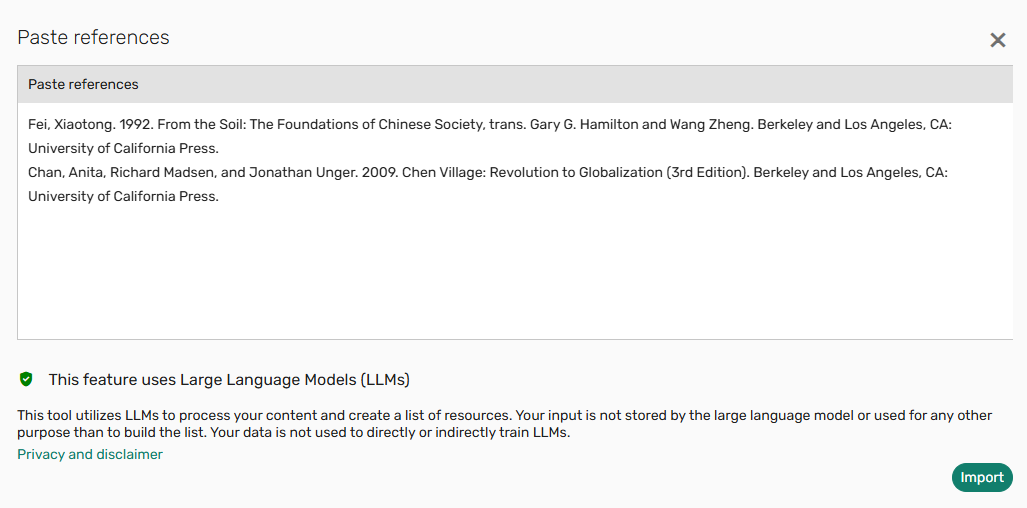
Additionally, to support library review workflows, when using the Syllabus Assistant to create a list by uploading a list or pasting references, the original syllabus/references file is now stored on the List info page. The data from the file is still not stored in AI, but the file is saved to Leganto for the library's reference.
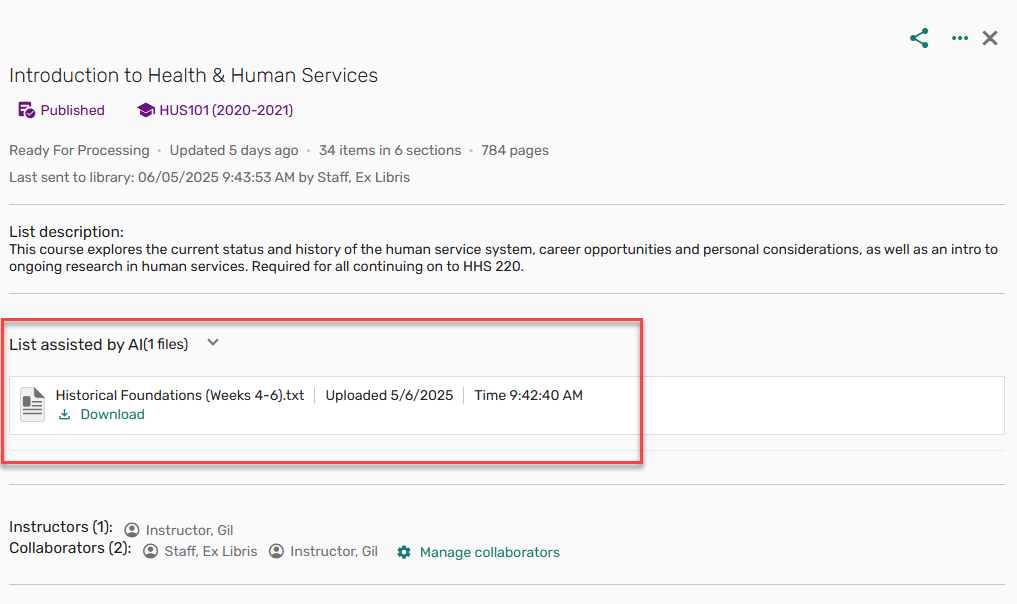
For more information, see Pasting References in Existing List.
Additional Enhancements
June 2025 Analytics URM-243138 SF: 07937528 07976303 All tags in analytics now have a field for both the tag code and the tag description. The following tables describe the changes that were implemented for this enhancement:
The following table displays new fields that were added:
Field Subject Areas Dimension Citation Public Tags Code - Course Reserves
- Leganto Student Usage
- Leganto Instructor Usage Events
- Purchase Requests
Reading List Citations Citations Instructor Library Tags Code - Course Reserves
- Leganto Student Usage
- Leganto Instructor Usage Events
- Purchase Requests
Reading List Citations Citation Library External Tags Code - Course Reserves
- Leganto Student Usage
- Leganto Instructor Usage Events
- Purchase Requests
Reading List Citations Citation Library Internal Tags Code - Course Reserves
- Leganto Student Usage
- Leganto Instructor Usage Events
- Purchase Requests
Reading List Citations Citation System Tags Code - Course Reserves
- Leganto Student Usage
- Leganto Instructor Usage Events
- Purchase Requests
Reading List Citations Section Library External Tags Description - Course Reserves
- Leganto Student Usage
- Leganto Instructor Usage Events
Reading List Sections Section Library Internal Tags Description - Course Reserves
- Leganto Student Usage
- Leganto Instructor Usage Events
Reading List Sections - Purchase Requests
Reading List Citations Section Library Tags Description - Course Reserves
- Purchase Requests
Reading List Sections - Purchase Requests
Reading List Citations Section Public Tags Description - Course Reserves
- Purchase Requests
Reading List Sections - Purchase Requests
Reading List Citations The following table displays existing fields that were renamed with the addition of the word Code or Description:
Field Subject Areas Dimension Citation Public Tags Description - Course Reserves
- Leganto Student Usage
- Leganto Instructor Usage Events
- Purchase Requests
Reading List Citations Citations Instructor Library Tags Description - Course Reserves
- Leganto Student Usage
- Leganto Instructor Usage Events
- Purchase Requests
Reading List Citations Citation Library External Tags Description - Course Reserves
- Leganto Student Usage
- Leganto Instructor Usage Events
- Purchase Requests
Reading List Citations Citation Library Internal Tags Description - Course Reserves
- Leganto Student Usage
- Leganto Instructor Usage Events
- Purchase Requests
Reading List Citations Citation System Tags Description - Course Reserves
- Leganto Student Usage
- Leganto Instructor Usage Events
- Purchase Requests
Reading List Citations Section Library External Tags Code - Course Reserves
- Leganto Student Usage
- Leganto Instructor Usage Events
Reading List Sections Section Library Internal Tags Code - Course Reserves
- Leganto Student Usage
- Leganto Instructor Usage Events
Reading List Sections - Purchase Requests
Reading List Citations Section Library Tags Code - Course Reserves
- Purchase Requests
Reading List Sections - Purchase Requests
Reading List Citations Section Public Tags Code - Course Reserves
- Purchase Requests
Reading List Sections - Purchase Requests
Reading List Citations June 2025 Fulfillment and Resource Sharing URM-231364 For customers configured to use Alma's new All titles search, when selecting Add Citation > Add Repository Citation, the search interface uses the new All titles search interface.
For more information, see Adding a Citation Already in the Repository.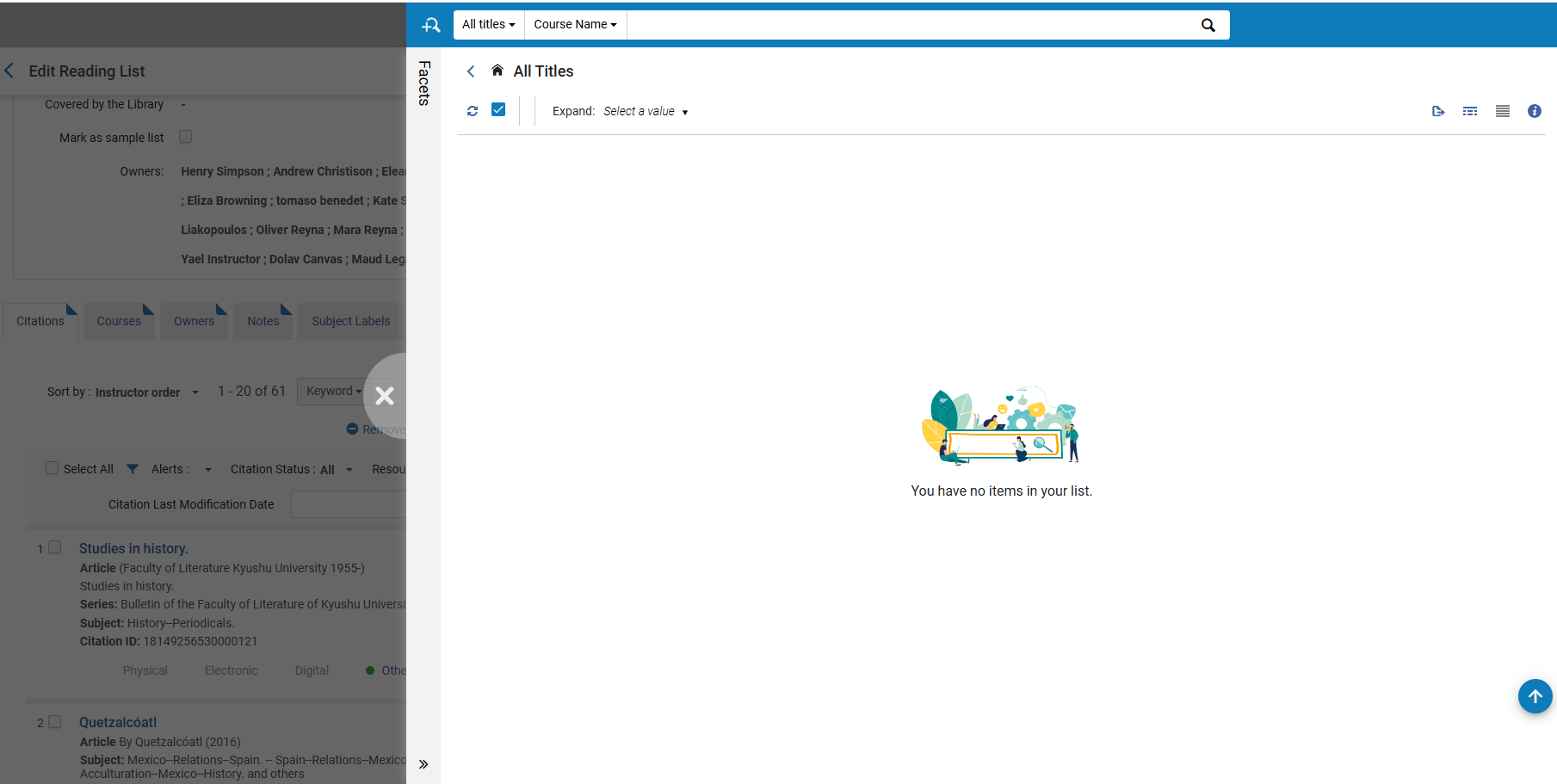
June 2025 Analytics URM-242973 The Page Range field was added to Course Reserves > Citation Metadata Details. It displays the range of pages of the article and replaces the following fields, now marked as deprecated:
- End Page
- End Page 2
- Start Page
- Start Page 2
If you have reports using the deprecated fields, they must be changed to the new Page Range field. The out-of-the-box reports will be updated in a future release.June 2025 Analytics URM-234581 The School-Faculty field was added to the Courses dimension in the Course Reserve, Leganto Instructor Usage Events, and Leganto Student Usage subject areas and the Request for Course dimension of the Requests subject area. It displays the school or faculty in which the course was given.
June 2025 Leganto URM-239949 SF: 07817535 For Norwegian customers who use Bolk, the user role Bolk Operator is now called Leganto Bolk Operator(Admin > User Management > Manage Users).
For more information, see User Roles.
June 2025 Leganto URM-232903 Norwegian customers with the user role Leganto Bolk Operator can now use the Sync Bolk action to update the Bolk status tags in Leganto with the Bolk response.
For more information, see Bolk Status.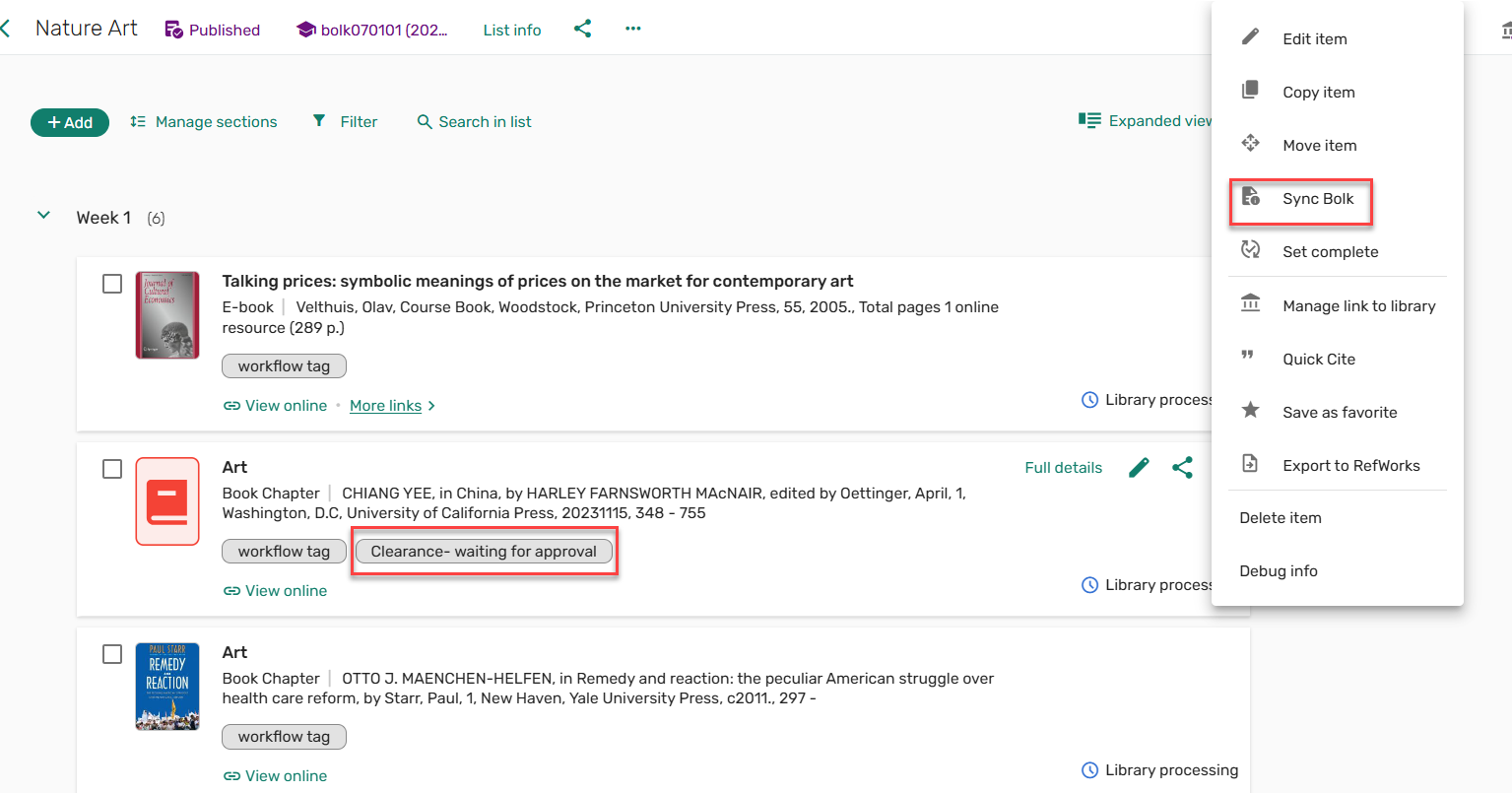
June 2025 Leganto URM-222698 SF: 07123449 You can now configure the display_newer_version_exists(Configuration > Leganto > Features > Leganto Features) parameter to always display the banner after duplicating a list when a newer version exists,redirect to the newer list version when the shareable links point to the newer list, or leave the parameter blank to never display the banner message on rollover.
For more information, see Newer List Indication.
June 2025 Leganto URM-204960 The Leganto Notifications Email Letter (Configuration > General > Letters > Letters Configuration) was removed as this letter is now obsolete. Instead, use the Leganto Full Detailed Notifications Email Letter or Leganto Detailed Notifications Email Letter.
For more information, see Letter List.
June 2025 Leganto URM-245141 The Cite it! out-of-the-box installation instructions were updated to Copy your institution info below, and paste it according to the instructions.
For more information, see Leganto Cite it! Bookmarking Tool Installation Instructions.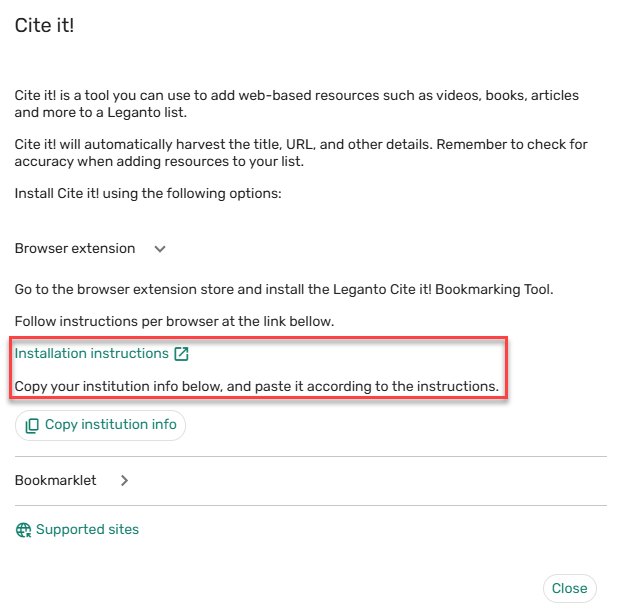
June 2025 Leganto URM-238976 SF: 07827921 It is now possible to copy any label when selecting Toggle translation labels from the user menu to display translation labels.
Resolved Issues
| SF number | Description |
|---|---|
| 08013041, 08021027 URM-248392 | In some cases, when loading a course, an error was generated, and the Processing Department did not load. This was fixed. |
| 07975829 URM-246483 | Previously, the sticker price formatting in Leganto and Alma was inconsistent. This was fixed. |
| 08009498 URM-248375 | Previously, the Bolk clearance tags were only visible after refreshing the list. This was fixed. |
| 07710468 URM-246806 | Previously, when adding a collaborator, the Manage collaborators button was only viewable after refreshing the page. This was fixed. |
| 07985555 URM-246756 | Previously, Library-internal tags were not copied when duplicating a list when Library-Internal tags (Configuration > Leganto > List Management > Instructor Rollover Operations) was set to Copy. This was fixed. |
| 07981838 URM-246728 | Previously, importing a book chapter from the LTI 1.3 editor with the Bibliography style Expanded Reading List Style did not work. This was fixed. |
| 07967790 URM-246544 | Previously, on small screens, if the General Message and My list is ready messages were displayed, the Apply button in the Filter window was not visible. This was fixed. |
| 07962292 URM-246001 | In some cases, tags were not copied when duplicating a list. This was fixed. |
| 07957683 URM-245728 | Previously, the Manage link to library window did not adjust according to the monitor size. This was fixed. |
| 07942255 URM-245656 | In some cases, the library search in Leganto library holdings was not displayed. This was fixed. |
| 07908069 URM-245527 | Previously, when adding a Public tag or Library-Instructor tag in Alma, the Email Leganto notifications to users job did not generate an email. This was fixed. |
| 07952463 URM-245487 | Previously, when selecting another language in the Leganto UI, the screen reader did not read the correct language. This was fixed. |
| 07861025 URM-245353 | Previously, when adding a note or citation to a section and immediately attempting to move the item, the item did not work as expected until the page was refreshed. This was fixed. |
| 07931289, 07948288 URM-244987 | In some cases, when the list status changed, the list status did not update until the page was refreshed. This was fixed. |
| 07898839 URM-244372 | Previously, the labels citation.request.description and list.duplicate.message (Configuration > Leganto > General > Labels – New UI) did not include a default Description or Translation. This was fixed. |
| 07812158 URM-238696 | In some cases, the Bolk synchronize job (Admin > Monitor Jobs) would fail. This was fixed. |
| 07210169 URM-228615 | Previously, the Leganto Notifications – Activity on your list text caused confusion. This was fixed. |
| 06517417 URM-181018 | In some cases, the availability information was not retained when adding a citation from the Primo interface to Leganto. This was fixed. |
| 08002313 URM-247560 | Previously, importing citations with special characters was not recognized by the AI assistant. This was fixed. |
